StandLockStandLockv0.2.6
macOS 13+·Open source·MIT

The macOS break reminder
you can't swipe away.

StandLock sits in your menu bar. Free, open source, nothing to sign up for. When it's time to move, it can ask nicely, ask firmly, or lock your screen until you stand up.

Has a pomodoro mode. Tracks your streaks. Knows to wait when you're on a call.

Download for macOSv0.2.6

3.6 MB · macOS 13 Ventura or newer · Apple Silicon & Intel
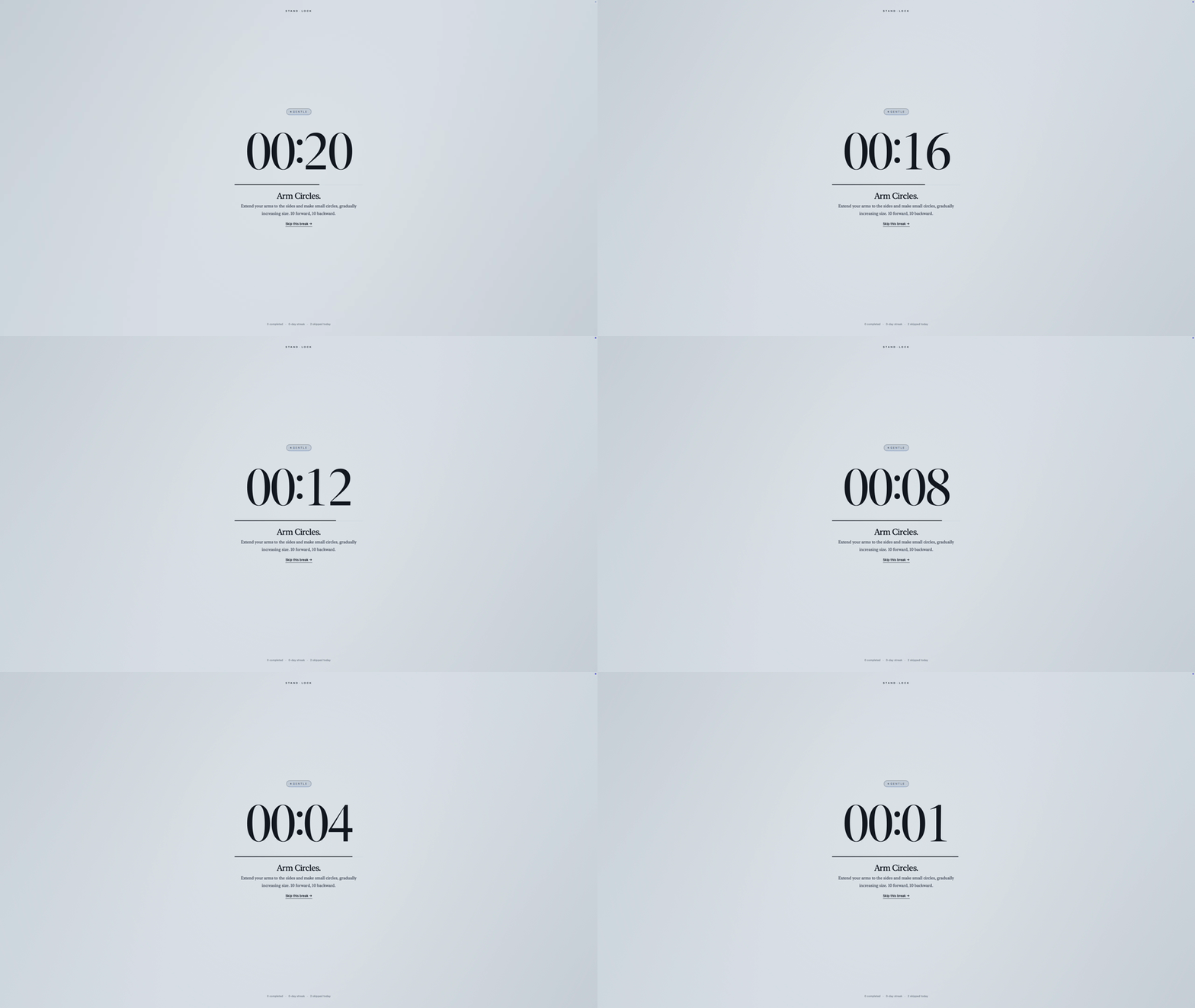
StandLock break overlay, Gentle mode, countdown timer with stretch exercise

see it in action

01Three levels of discipline

Pick how much you trust your future self.

Each schedule gets its own level. Gentle during casual browsing. Strict during the long sessions you know you'll skip.

01

Gentle

a soft tap on the shoulder

Full-screen overlay with a skip button. Dismiss it the moment it appears. For when you want a nudge, not a fight.

Skip immediately
No friction
For casual sessions
skip this break
one click
02

Firm

makes you work for it

Same overlay, but the skip button is delayed and you type a phrase to dismiss. Just enough friction to make you think twice.

Delayed skip (5s+)
Type-to-dismiss
For focused work
type to dismiss
I choose to skip this break|
03

Strict

no way out

Keyboard and mouse stop working until the break ends. One emergency key combo, mostly so you can sleep at night.

Input fully locked
⌘⌥⎋ escape combo
For long sessions
input locked
02Smart scheduling

One break schedule for mornings.
A stricter one for afternoons.

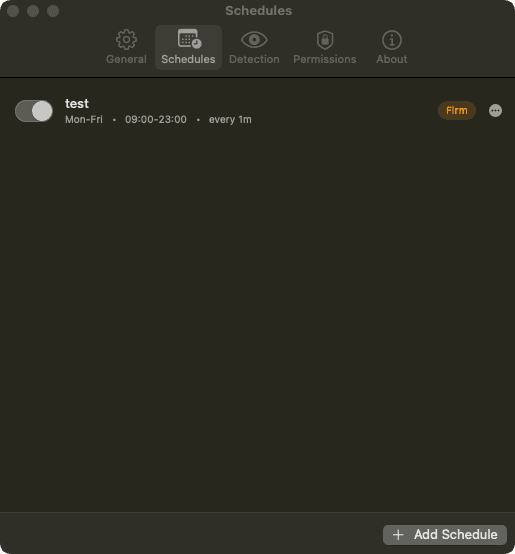
Each schedule gets its own time window, days, cadence, and discipline level. Add as many as you need. StandLock picks the active one automatically.
Multiple time slots
e.g. 09–12, 13–17
Weekday presets
or custom days
Pomodoro cycles
4 short → 1 long
Per-schedule level
Gentle / Firm / Strict
Daily skip limits
per discipline level
StandLock Schedules window — test schedule, Mon–Fri 09:00–23:00, Firm mode
03Progressive challenges

The skip button fights back.

Each break throws a different trick at you. Sometimes the button runs from your cursor. Sometimes you're hunting through a grid of decoys. You can still skip, but you'll work for it.
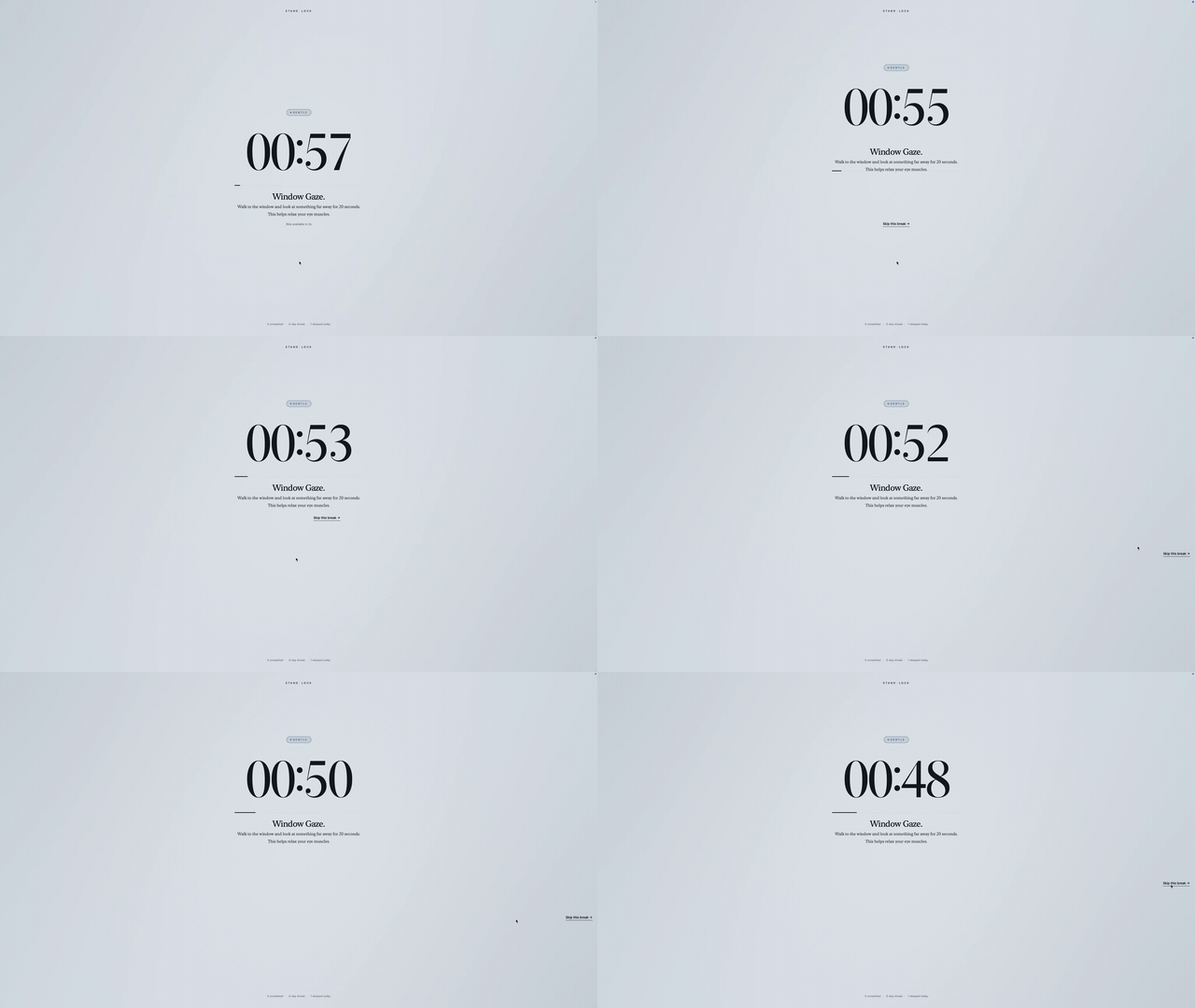
Gets trickierSkip? Good luck.More coming soon
StandLock progressive challenge — skip button dodges the cursor during a break
04Context aware

It knows when to skip your break.

A break reminder mid-call is worse than no reminder. StandLock checks what you're doing before it interrupts.

Meeting in progress

Camera or mic active? StandLock waits until the call ends.

detected via system state

Calendar events

Reads your calendar (never writes to it) and stays quiet during scheduled blocks.

EventKit · read-only

Screen sharing

No full-screen overlay in front of 40 colleagues.

always

Idle detection

You left for coffee 12 minutes ago. You don't need a break reminder. Skipped.

Input Monitoring

macOS Focus modes

Do Not Disturb or a custom Focus mode? StandLock goes quiet.

system Focus API

Sleeping displays

Display asleep means you are too. Nothing waiting when you come back.

always
05Break experience

Breaks that do something.

Most break apps lock your screen and leave you staring at a countdown. StandLock fills it with something worth doing.

Exercise suggestions

A random stretch or movement each break. Squats, neck rolls, that sort of thing.

randomized each break

Water reminders

You're already standing. Drink some water.

during breaks

Media pause

Music and podcasts stop on their own, so the break is actually quiet.

system-wide

Countdown timer

Full-screen timer on every display. You know when you're back.

all displays
06Open source

Free and open source. Yours to read.

StandLock is MIT licensed and developed publicly on GitHub. The whole source is right there, including the bits that block your keyboard in Strict mode. Audit it, fork it, send a PR with your stretches.

main · recent
a1f0c2efix: defer break when screen sharing2d
3b8e91afeat: emergency escape combo6d
c4d9a01feat: pomodoro repetition cycles12d
8f1b3c0chore: bump release14d
latest releasev0.2.67 days ago
FAQ

Questions everyone asks about StandLock.

Didn't find yours? Open an issue on GitHub.

Will Strict mode lock me out of my computer?
Only for the break duration you set, usually about 5 minutes. There's also an emergency key combo (⌘⌥⎋) that always works, in case something is genuinely on fire.
What permissions does it actually need?
Accessibility (only for Strict mode), Input Monitoring (for idle detection), and optionally Calendar read access. StandLock asks for each one only when you turn on a feature that needs it.
Does it spy on my camera or mic?
No. It checks whether some app is using them so it can defer breaks during meetings, but it never accesses the streams. Privacy entitlements are scoped to "in use" detection only.
Is it really free and open source?
Yes. MIT licensed. The whole source is on GitHub. Read it, fork it, send patches, whatever. No accounts, no analytics-by-default, no cloud.
How is this different from system Screen Time?
Screen Time tracks usage and limits apps. StandLock specifically nudges (or forces) you to stand up every N minutes, with context awareness and per-schedule discipline levels. See how StandLock compares to other break reminder apps. Standing breaks also help with reducing eye strain.
Can StandLock help prevent RSI and eye strain?
Standing up regularly helps with RSI, back pain, and tired eyes. StandLock makes sure you actually do it instead of dismissing a notification and going right back to your screen.
Does it work as a pomodoro timer?
Yes. Set up 4 short breaks followed by 1 long one, each with its own duration and discipline level. Runs on its own from your menu bar.
Can I snooze or skip a break in Gentle mode?
In Gentle mode, dismiss whenever you want. Firm makes you type a phrase first. Strict locks your screen for the full duration and there's no way around it.